Armory War devlog #4: From mouse to thumb: Armory War on Android
Armory War was built for a mouse. Here is how it became a touch game, and the bug you only get on a phone.
Armory War was built with a mouse in hand: hover for tooltips, right-click to equip, drag to sell, keyboard shortcuts everywhere. A phone has none of that. Here's how it became a touch game — and is on its way to Google Play.
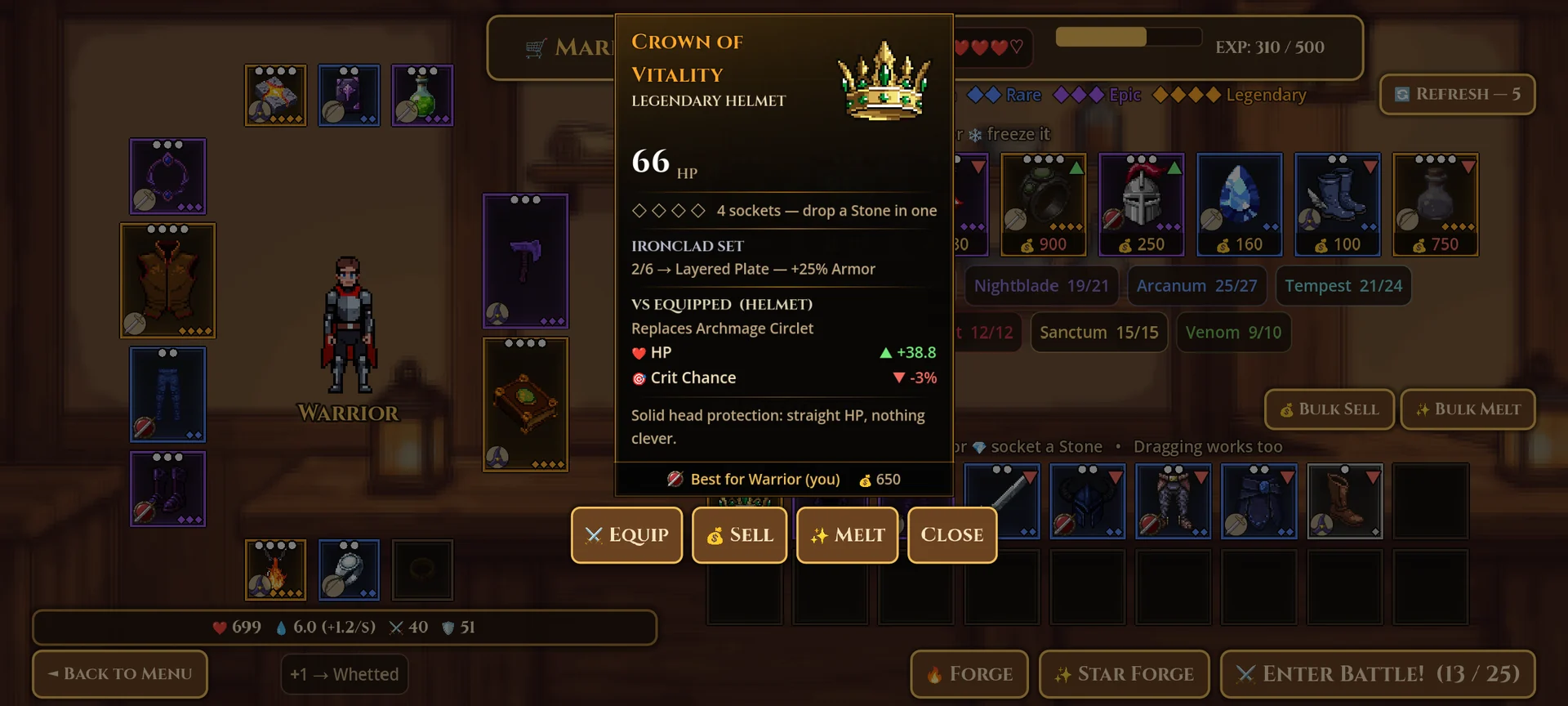
Tap means "select". On a phone, tapping an item opens its card in the middle of the screen with the actions on it: Equip, Sell, Melt, Freeze. Hover tooltips moved into that same card, so nothing is hidden behind a gesture a finger can't make. Drag and drop still works for anyone who prefers it.
Socketing without precision dragging. Dropping a tiny Stone onto a tiny socket is miserable on a phone. Now you tap the Stone, choose Socket, and every item it fits lights up green — tap one and you're done.
Bigger everything. On phones the interface is scaled up 25%, no text is smaller than 13 points and no button shorter than 34 pixels. Instructions that only make sense with a keyboard ("press R to re-roll") disappear on touch, replaced with wording written for fingers, and the drag-to-sell boxes became Bulk Sell and Bulk Melt buttons.
The bug you only get on a phone. Switch apps mid-fight and come back, and the game would receive the whole time you were away as a single frame — and the battle simulator would dutifully play all of it at once. You'd return to a fight that was already over. Now the battle pauses itself the moment the app loses focus, and Android's back button works like Esc everywhere.
Testing without a phone in hand. A tool renders every screen at a phone's shape, in touch mode, in both languages — the same tool that took the Google Play screenshots. It has already caught text spilling out of its box and buttons pushed off the edge.
What's next: a closed test, then Google Play. If you'd like to be one of the first testers, write to us or follow GlintByte on Instagram for the sign-up link.