Orbit Swarm devlog #3: 120 crystals and other lessons from phones
Thumb controls, a cap on crystals that keeps the frame rate steady, a cockpit-style HUD and a game that ships in two languages.
Orbit Swarm is built for Android, and bringing it to phones taught us more than any other step.
Controls
We kept them as simple as possible: drag anywhere on the left half of the screen to move, tap the right half to dash. There's no fixed joystick to look for; it appears where your thumb lands. Since weapons aim themselves, that's everything you need in combat.
Menus were harder. A mouse can hover over an item to see its details; a finger can't. Now a tap opens the tooltip, and tapping and holding on a weapon slot shows the full card. The Android back button pauses the game, and the game pauses itself when you switch apps.
Performance: the 120-crystal rule
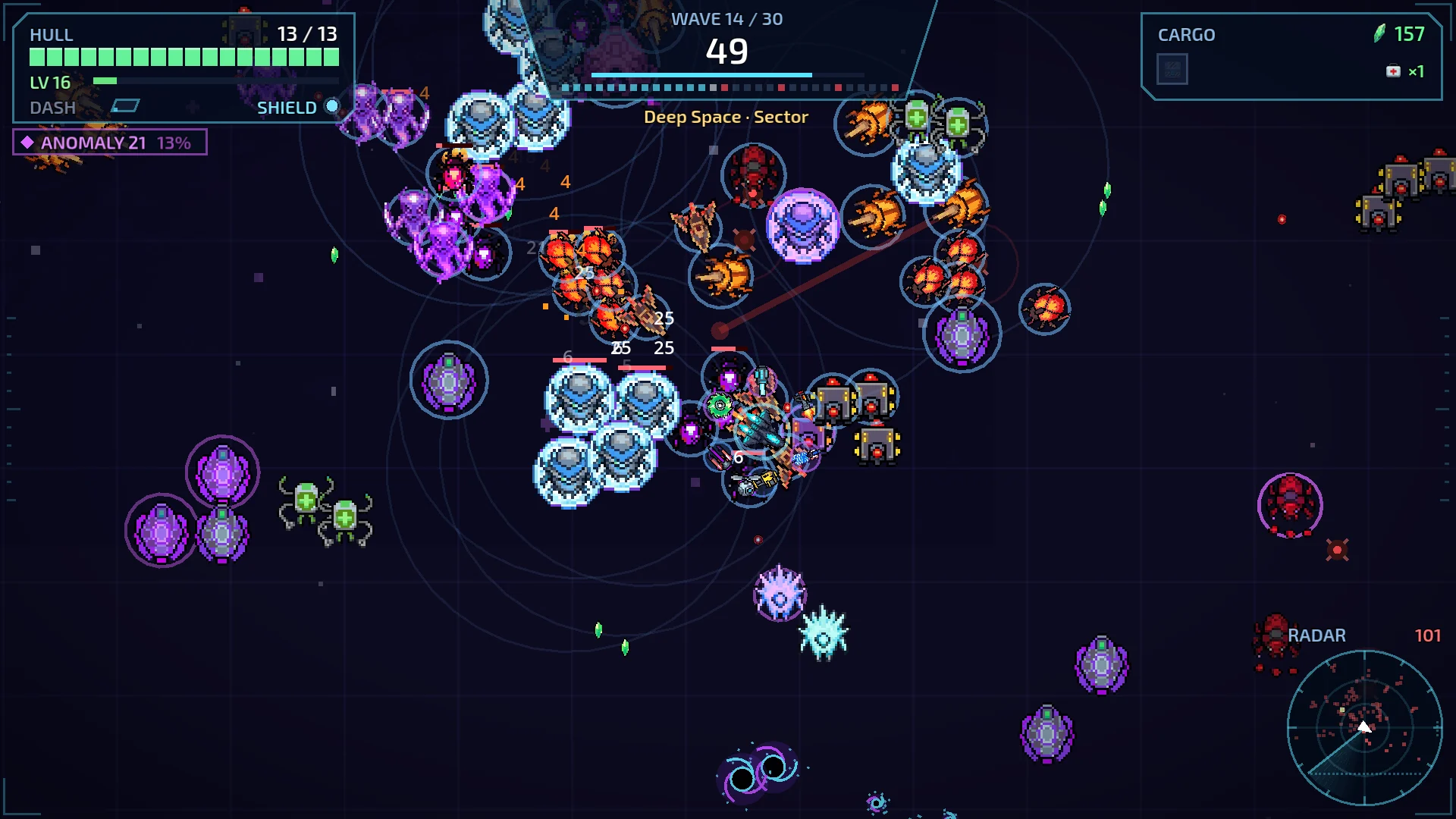
One frame-rate risk came from an unexpected place: crystals. Late waves can drop hundreds of them, and an unlucky build that doesn't collect them fills the floor. The fix: at most 120 crystals can be on the ground. When a new one drops past that limit, its value is added to the nearest crystal instead, which grows and glows brighter. You never lose value, and the phone never chokes.
Readability
At 640×360 and on a 6-inch screen, every pixel of the HUD matters. The interface became a ship cockpit: a hull panel with a delayed damage trail, a wave console, a cargo display, a radar, a target lock bar for bosses, a warning band for danger, and arrows on the screen edges pointing to threats you can't see yet.
Language
The game ships in English and Turkish. Every line of text in the code is marked for translation, and a small tool checks for any text we forgot to mark and any translation that's missing, so a new item never shows up half-translated.